Case — a React site for that API
works in curl, doesn't work in the browser
What it is
The third case continues the second: the API from article 14.2 is already running, and now it needs a website. The task looks simple — show a list — and it is exactly where an error surfaces that is in no React guide, because it isn't about React.
Step 1. The request
React 19 + TypeScript, built with Vite.
One screen: a list of cities with temperatures.
Data: GET http://localhost:8102/cities,
the response [{name: string, temp: number | null}].

All four states are needed: loading, error, empty list,
data. Describe the response type explicitly, don't use
any or as.
Simple styles, no component libraries.
The requirement about four states comes from article 10.5, and it isn't there for appearances: it is what saves us at the next step.
Step 2. What arrived
type City = { name: string; temp: number | null }

export default function App() {
  const [cities, setCities] = useState<City[]>([])
  const [error, setError] = useState<string | null>(null)
  const [loading, setLoading] = useState(true)

  useEffect(() => {
    fetch('http://localhost:8102/cities')
      .then((r) => {
        if (!r.ok) throw new Error(`HTTP ${r.status}`)
        return r.json()
      })
      .then(setCities)
      .catch((e) => setError(String(e)))
      .finally(() => setLoading(false))
  }, [])

  if (loading) return <p className="state">Loading…</p>
  if (error) return <p className="state err">Couldn't load: {error}</p>
  if (cities.length === 0) return <p className="state">No cities yet</p>

  return (
    <main>
      <h1>Weather</h1>
      <ul>
        {cities.map((c) => (
          <li key={c.name}>
            <span>{c.name}</span>
            <b>{c.temp === null ? 'no data' : `${c.temp}°`}</b>
          </li>
        ))}
      </ul>
    </main>
  )
}
The code is right. The effect's dependencies are empty, the key is in
place, the four states are there, there is no any. It builds:
✓ built in 1.82sStep 3. A bug that isn't in the code
Open it in the browser:
Couldn't load: TypeError: Failed to fetchMeanwhile the API is alive and answering perfectly well:
$ curl -s -o /dev/null -w "%{http_code}" localhost:8102/cities
200
Works in curl, doesn't work in the browser. The reason is in the
developer console (article 8.4), and only there:
Access to fetch at 'http://localhost:8102/cities' from origin
'http://localhost:5190' has been blocked by CORS policy:
No 'Access-Control-Allow-Origin' header is present on the requested resource.
This is CORS — the browser rule that a page at one address can't read
responses from another unless that other one explicitly allows it. curl
has no such rule: it exists only in the browser and only to protect the
user.
Two conclusions that make this article worth its place.
First: the error on the screen doesn't name the cause. The browser
deliberately withholds the details from the page's code — fetch gets only
TypeError: Failed to fetch. You have to look in the console, not in the
React code. Requests of the form "fix TypeError: Failed to fetch" are
useless: there is no error in the code you showed.
Second: the fix belongs on the server. CORS is configured where the data comes from:
app.add_middleware(
    CORSMiddleware,
    allow_origins=["http://localhost:5190"],   # the site's address, not "*"
    allow_methods=["GET", "POST", "DELETE"],
    allow_headers=["Content-Type"],
)
After restarting the API the header appears:
$ curl -D- -H "Origin: http://localhost:5190" localhost:8102/cities
access-control-allow-origin: http://localhost:5190
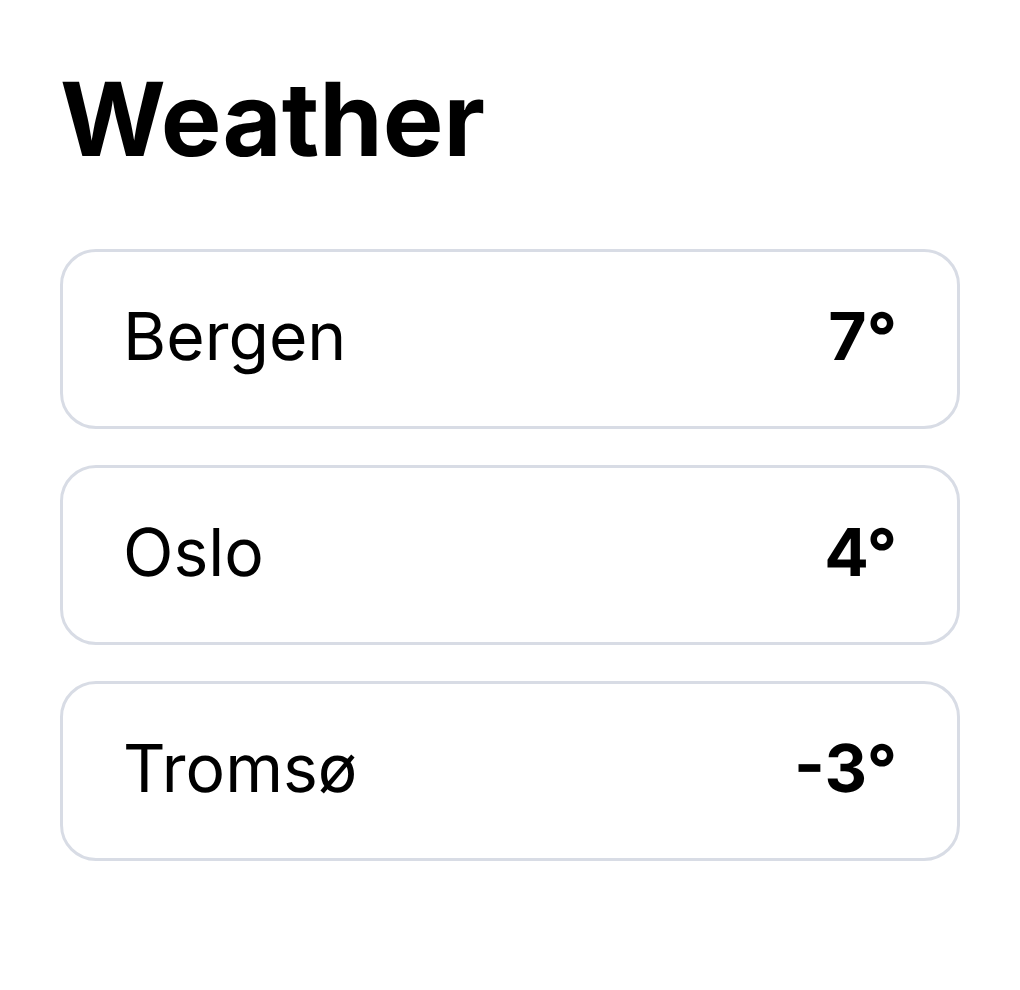
And the page comes to life — no errors in the console:
Step 4. What to check with your eyes
A built site isn't the same as a site in development (chapter 12). The minimum checks before calling this case closed:
- The four states. Switch the API off — the error line should appear, not an empty screen. That was the check at step 3, just an involuntary one.
- A narrow window. Shrink it to phone width.
- The built version.
vite buildand open the result, not only the development mode. - The API address isn't hard-wired. It is different on the server; so an environment variable — and remember it ends up in the artifact in plain text (article 12.1).
Cheat sheet
"Works in curl, doesn't work in the browser" is almost always CORS.
The real cause is visible only in the browser console, not on the screen.
TypeError: Failed to fetchis not an error in the React code.CORS is fixed on the server that serves the data, not on the site.
allow_origins=["*"]isn't a solution but a refusal to decide.The four screen states paid for themselves on the very first day.
Check the built version and a narrow window, not just development mode.